My Mini Mart1.89.5
Publisher Description
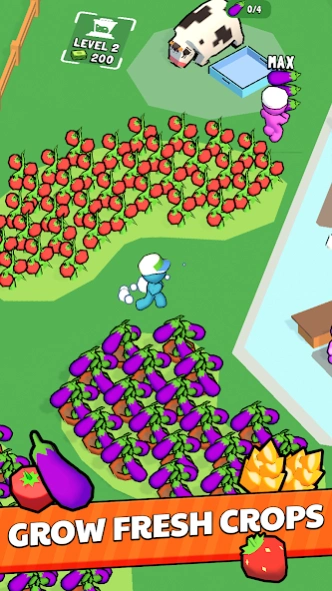


Build and manage your dream mini mart, from farm to shelf!
My Mini Mart: Your Pocket-Sized Business Empire
Become the Ultimate Retail Tycoon!
Embark on a fun and challenging journey as you build and manage your very own mini mart. From humble beginnings to a bustling retail empire, the choices are yours!
How to Play:
Farm Fresh: Plant seeds, water crops, and harvest fresh produce.
Animal Husbandry: Raise animals like chickens and cows for eggs and milk.
Processing Power: Use machines to transform raw materials into finished products.
Staff Management: Hire and train employees to handle various tasks.
Customer Satisfaction: Keep your shelves stocked and customers happy to boost profits.
Strategic Expansion: Upgrade your store, unlock new products, and expand your business.
Key Features:
Farming Freshness: Cultivate a variety of crops, from vibrant fruits to hearty vegetables, to supply your store with the freshest produce.
Animal Husbandry: Tend to adorable animals like chickens and cows, gathering eggs and milk to create delicious dairy products.
Manufacturing Magic: Transform raw materials into delectable treats and essential goods using a range of processing machines.
Strategic Staffing: Hire and train a team of hardworking employees to assist with various tasks, from stocking shelves to serving customers.
Expansive Upgrades: Expand your mini mart, upgrade equipment, and unlock new products to attract more customers and boost your profits.
Time Management Mastery: Balance multiple tasks simultaneously, making strategic decisions to optimize efficiency and maximize revenue.
Relaxing Gameplay: Enjoy a calming and satisfying experience as you watch your mini mart thrive and grow.
Are you ready to take on the challenge of running a successful business? Download My Mini Mart today and start your retail adventure!
About My Mini Mart
How to install My Mini Mart on your Android device:
- Click on the Continue To App button on our website. This will redirect you to Google Play.
- Once the My Mini Mart is shown in the Google Play listing of your Android device, you can start its download and installation. Tap on the Install button located below the search bar and to the right of the app icon.
- A pop-up window with the permissions required by My Mini Mart will be shown. Click on Accept to continue the process.
- My Mini Mart will be downloaded onto your device, displaying a progress. Once the download completes, the installation will start and you'll get a notification after the installation is finished.
Program Details
System requirements
Download information
Pricing
Version History
version 1.89.5
posted on 2026-09-28
Minor update
version 1.88.0
posted on 2026-03-30
Bug fixes and game improvements.
version 1.87.1
posted on 2026-03-18
bug fixes
version 1.86.1
posted on 2026-01-29
version 1.18.45
posted on 2024-08-19
gameplay improvement and bug fixes
version 1.18.42
posted on 2024-02-16
Valentine Event
Bug fixes
version 1.18.39
posted on 2024-01-23
Bug Fixes
Gameplay improvements
version 1.18.38
posted on 2023-12-27
Christmas Event
version 1.18.36
posted on 2023-12-04
Thanksgiving Event
version 1.18.33
posted on 2023-11-13
Halloween Event
New Icon
Fix player speed
